rgba(0,0,0,0.1);” />
Choosing the Right Wi-Fi 7 Tri-Band Speeds for your Project in Consett
As an NSI and SSAIB certified Security and Networking Engineer based in the North East, I have designed and commissioned some of the most complex infrastructure projects in Newcastle upon Tyne and the surrounding County Durham areas. One location that presents a unique set of challenges is Consett. Perched high in the Pennines, Consett is a town of contrasts: historical stone-built terraces from its ironworks heritage stand alongside modern, energy-efficient commercial developments and sprawling residential estates.
When upgrading or deploying a wireless network in Consett, standard consumer-grade gear simply will not cut it. The transition to Wi-Fi 7 (802.11be) is now underway, offering unprecedented speeds, ultra-low latency, and robust tri-band performance. However, deploying a Wi-Fi 7 network requires careful planning. You cannot achieve these gigabit-plus wireless speeds without understanding the physical layer of your network: the copper cabling, the power distribution, the environmental weatherproofing, and the stringent security standards mandated by the National Security Inspectorate (NSI) and the Security Systems and Alarms Inspection Board (SSAIB).
This comprehensive engineering guide will walk you through choosing the correct Wi-Fi 7 tri-band speeds, designing the supporting infrastructure, and ensuring your installation is fully compliant with modern UK security standards.
—
1. Understanding Wi-Fi 7 Tri-Band Technology and the Consett Challenge
Wi-Fi 7 operates across three distinct wireless bands: 2.4 GHz, 5 GHz, and the newly unlocked 6 GHz band. To understand which speeds are appropriate for your Consett project, we must look at how these frequencies interact with local architecture and environmental conditions.
- The 2.4 GHz Band (Legacy & IoT): Operating at lower speeds (typically up to 1.4 Gbps under Wi-Fi 7 specifications), this band offers the longest range. In Consett’s older stone-built properties, where walls can be up to two feet thick, the 2.4 GHz band is often the only signal that can penetrate multiple rooms. It is vital for smart home integration, heating controls, and basic telemetry.
- The 5 GHz Band (The Workhorse): Offering speeds up to 8.6 Gbps with wider 160 MHz channels, this band balances range and throughput. It is less congested than 2.4 GHz but suffers higher attenuation when passing through solid brick, mortar, and stone.
- The 6 GHz Band (The High-Speed Highway): This is the crown jewel of Wi-Fi 7. Utilizing massive 320 MHz channel widths and 4096-QAM (Quadrature Amplitude Modulation), the 6 GHz band can deliver wireless speeds of up to 11.5 Gbps to compatible client devices. However, its high frequency means it has a very short propagation distance and is easily blocked by physical obstacles.
Wi-Fi 7 introduces Multi-Link Operation (MLO). This allows a client device to connect to multiple bands (e.g., 5 GHz and 6 GHz) simultaneously. Instead of choosing one path, the device aggregates the throughput, dynamically switching packets between bands to avoid local interference. This is highly beneficial in commercial premises along Consett’s busy Front Street, where RF (Radio Frequency) congestion from neighbouring businesses can severely degrade legacy single-band connections.
—
2. Cabling Infrastructure: The Foundation of Wi-Fi 7 Speeds
A common mistake made during network upgrades is mounting a high-speed Wi-Fi 7 Access Point (AP) onto an obsolete cabling system. If you connect a Wi-Fi 7 AP capable of 10 Gbps wireless throughput to an old Cat5e cable, you limit the entire system to a 1 Gbps bottleneck. To extract the true performance of tri-band Wi-Fi 7, your physical infrastructure must match your wireless ambitions.
We must categorise copper cabling standards to determine their suitability for Wi-Fi 7 backhaul installations:
- Cat5e: Legacy standard. Limited to 1 Gbps at 100 metres. Unsuitable for Wi-Fi 7. It can occasionally run 2.5G Base-T over short distances, but it is highly susceptible to crosstalk and packet loss under load.
- Cat6: Supports up to 10 Gbps but only up to a maximum distance of 37 to 55 metres depending on the crosstalk environment. For small offices or residential builds in Consett, Cat6 may suffice, but it lacks future-proofing.
- Cat6a (Recommended Minimum): Fully supports 10 Gbps speeds up to the maximum standard run of 100 metres. It features improved shielding (F/UTP or U/FTP) to eliminate alien crosstalk, making it the ideal baseline for commercial Wi-Fi 7 deployments.
- Cat7 & Cat8: Cat7 operates at 600 MHz and Cat8 at up to 2000 MHz (supporting 25G/40G Base-T up to 30 metres). While Cat8 is generally reserved for data centres, we occasionally deploy Cat7 or Cat8 shielded copper in highly industrial parts of Consett to shield critical data lines from electromagnetic interference (EMI) generated by heavy machinery.
When installing these complex, multi-node cable runs, clarity is paramount for maintenance and certification. As a matter of professional pride and compliance, I highly recommend adopting a strict identification protocol. You can learn more about this in our comprehensive guide on Best Practices for Labeling Data Cabling Systems. Proper labeling prevents costly troubleshooting hours when managing multi-VLAN Wi-Fi 7 infrastructures.
—
3. High-Performance Hardware Specifications
To help you select the correct equipment and infrastructure specifications for your Consett project, refer to the technical comparison table below. This outlines the minimum standards required based on the scale of your deployment:
—
4. Power Budgets: Ensuring Stable PoE Delivery
Wi-Fi 7 Access Points pack a massive amount of processing power. Features like 16×16 MU-MIMO, high-frequency radio arrays, and internal cooling fans mean these devices have strict power requirements. If your network switch cannot deliver adequate Power over Ethernet (PoE), your APs will suffer from spontaneous reboots, packet drops, or outright refusal to enable the high-speed 6 GHz radio band.
When calculating your project’s power budget, you must categorise PoE standards:
- PoE (802.3af): Delivers up to 15.4W at the switch port. Completely inadequate for modern Wi-Fi 7 APs.
- PoE+ (802.3at): Delivers up to 30W at the port. This is the minimum requirement for entry-level Wi-Fi 7 access points. However, running a high-end AP on PoE+ may force it into a “low power mode,” disabling one of the radio bands or limiting MIMO streams.
- PoE++ (802.3bt): Delivers up to 60W (Type 3) or 90W (Type 4) of power. This is the gold standard for premium Wi-Fi 7 deployments. High-density APs with 2.5G or 10G uplink ports require 802.3bt power to operate all three bands simultaneously at peak transmit power.
In Consett, where winter temperatures routinely drop below freezing, we must also factor in voltage drop across long outdoor cable runs. Cold temperatures can increase resistance in copper, and if you are using poor-quality Copper Clad Aluminium (CCA) cable instead of pure solid copper (such as British Standard compliant CW1308 or solid Cat6a), your power delivery will fail. Always specify solid-core copper conductors to avoid severe power attenuation.
—
5. Environmental Weatherproofing: IP66 vs. IP67 for Consett Climates
Consett’s elevated position makes it prone to heavy rainfall, dense mist, and freezing sleet. If your Wi-Fi 7 project involves extending coverage to outdoor spaces—such as pub beer gardens, industrial yards, or perimeter gates—you must pay careful attention to the Ingress Protection (IP) ratings of your enclosures and APs.
Do not compromise on weatherproofing. I recommend two primary standards:
- IP66 (Dust-tight, protected against powerful water jets): Suitable for sheltered outdoor areas, under eaves, or mounted on walls that are somewhat protected from the worst of the Pennine winds.
- IP67 (Dust-tight, protected against temporary immersion up to 1 metre): Essential for fully exposed environments. If an AP is mounted on an open pole in an industrial compound, it must be IP67 rated. This ensures that driving wind, heavy rain, and melting ice cannot breach the casing and short-circuit your high-frequency RF components.
—
6. Security Compliance: NSI Grade 2/3, SSAIB, and EN 50131 Integration
As an NSI and SSAIB certified installer, I approach network design through a security-first lens. High-speed Wi-Fi 7 is not just for browsing; it is increasingly used as the primary backbone for wireless IP CCTV systems and wireless intruder alarm expanders. If your wireless network is carrying security data, it must comply with European Standards such as EN 50131.
For Grade 2 (medium risk, e.g., standard residential and retail) and Grade 3 (high risk, e.g., commercial warehouses and banks) systems, any wireless path must be resilient, encrypted, and monitored. When integrating IP-based security devices from global market leaders like Hikvision Global Security, the wireless link must be treated as a critical transmission path.
To maintain NSI Grade 2 or 3 compliance across a Wi-Fi 7 network, we implement the following protocols:
- Network Segregation (VLANs): Security devices, IP cameras, and door controllers must reside on a dedicated, firewalled VLAN completely isolated from guest or staff Wi-Fi networks.
- WPA3-Enterprise Encryption: Legacy WPA2 is no longer acceptable for high-security environments. Wi-Fi 7 mandates WPA3 for the 6 GHz band, which we extend across all SSIDs using 192-bit cryptographic strength.
- Supervised Wireless Links: Using the ultra-low latency of Wi-Fi 7, security networks must continuously poll connected nodes. If a jammer or interference compromises the signal for more than a specified number of seconds, an alert must be routed via dual-path signalling to an Alarm Receiving Centre (ARC).
—
7. Step-by-Step Installation & Commissioning Procedure
Deploying a Wi-Fi 7 network in Consett requires a methodical, professional approach. Below is the exact deployment procedure I use to ensure a flawless installation:
Step 1: The Active RF Site Survey
Before drilling any holes, we conduct an active RF site survey using professional spectral analyzers. This is particularly crucial in Consett’s old stone buildings, where we must measure the exact attenuation rate of 5 GHz and 6 GHz signals passing through thick walls. This survey dictates precise AP placement.
Step 2: Structured Cabling Installation
Run Cat6a or Cat7 shielded solid-core cabling from the central comms cabinet to each AP location. Ensure all cables are terminated with high-quality shielded RJ45 modules or field termination plugs. Ensure all cabling paths avoid high-voltage mains runs to eliminate EMI.
Step 3: Cable Testing and Labeling
Every single copper run must be certified using a calibrated cable analyzer (such as a Fluke DSX-8000). We test for insertion loss, return loss, and NEXT (Near-End Crosstalk). Once certified, we label the cable at both ends using our strict labeling scheme to ensure future maintenance is seamless.
Step 4: Physical Mounting & Powering
Mount the APs securely. For indoor commercial environments, use ceiling tile mounts. For outdoor areas, mount IP67-rated APs using stainless steel brackets to prevent rust from Consett’s damp weather. Connect the APs to a PoE++ managed switch capable of handling the calculated power load.
Step 5: Network Configuration and MLO Tuning
Log into the network controller. Define the separate VLANs for corporate data, guest access, IoT, and IP security. Configure Multi-Link Operation (MLO) to allow compatible Wi-Fi 7 clients to transmit across 5 GHz and 6 GHz bands simultaneously. Set up DFS (Dynamic Frequency Selection) channels correctly to avoid interference from local military or weather radar installations.

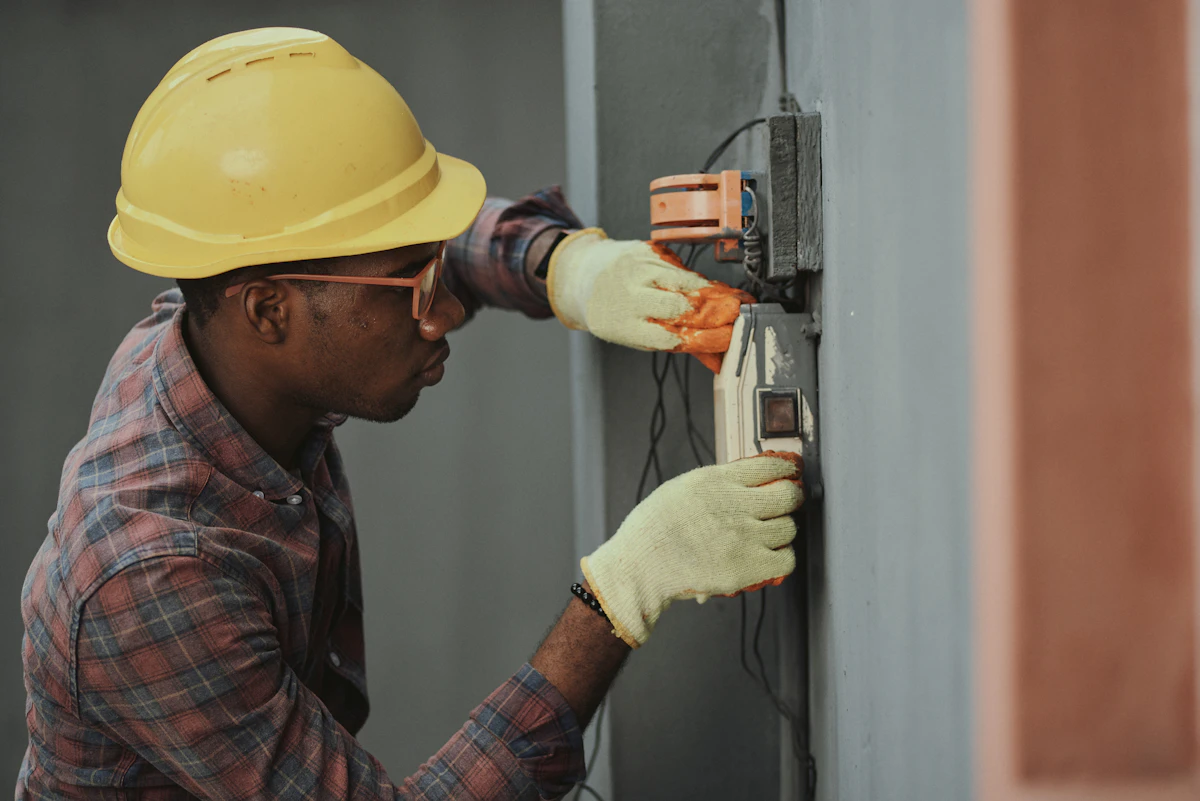
Figure 2: Quality installation standard deployment.
Step 6: Security Compliance Auditing
Test the network against SSAIB and NSI criteria. We simulate a wireless link failure on the security VLAN to verify that the alarm panel flags a fault within the legally required time limit. Verify WPA3 handshake logs and ensure isolation rules are functioning correctly.
—
8. Troubleshooting Wi-Fi 7 Performance Issues
Even with advanced technology, real-world deployment can present hurdles. Here is how we diagnose and solve the three most common Wi-Fi 7 issues in the North East:
- Symptom: 6 GHz Band Disappears or Frequently Drops
Cause: This is almost always a power budget or cable length issue. Wi-Fi 7 APs require massive power to drive the 6 GHz radio. If the switch has negotiated a lower PoE standard (e.g., 802.3at instead of 802.3bt), the AP will disable the 6 GHz band to protect its processor.
Solution: Check the switch management portal. Ensure the port is delivering full PoE++ (up to 60W). If the cable run is exceptionally long, measure the voltage at the AP end to ensure copper resistance isn’t dropping the power below acceptable limits.
- Symptom: High Packet Loss and Jitter on Wireless CCTV Streams
Cause: Severe RF interference or physical attenuation from stone walls, coupled with poorly configured roaming parameters.
Solution: Enable MLO so the camera streams can dynamically hop between 5 GHz and 6 GHz. If physical barriers are too dense, you must deploy additional APs to achieve line-of-sight propagation, or drop down to a highly directed 5 GHz signal with narrow channel widths (20 MHz or 40 MHz) to increase signal penetration and stability.
- Symptom: Client Devices Connecting at Low Speeds
Cause: The client device is defaulting to the 2.4 GHz band because the APs are transmitting at maximum power, making the 2.4 GHz signal look “stronger” than the 5/6 GHz signals.
Solution: Perform a professional power balance. Reduce the transmit power of the 2.4 GHz radio (e.g., to 12 dBm) while keeping the 5 GHz at 18 dBm and 6 GHz at 20 dBm. This encourages modern client devices to roam onto the higher-speed bands naturally.
—
Trust the Local NSI/SSAIB Experts
Choosing the right Wi-Fi 7 speeds for your Consett project is not just a matter of reading the box specs. It requires an understanding of structural attenuation, rigorous copper cabling certifications, stable PoE calculations, and strict security compliance. Whether you are upgrading a private estate in Castleside or implementing a multi-site network for an industrial unit on the Number One Industrial Estate, professional design and installation make all the difference.
Do not compromise on your network’s foundation. Ensure your project is future-proofed, compliant, and lightning-fast. For bespoke advice, site surveys, and NSI/SSAIB certified installations across Consett and the wider North East, get in touch with our engineering team today.
Q: What details do you provide regarding Choosing the Right Wireless Access Points for your Project in North Shields?
A: We have written an extensive guide on this. Read our complete guide to Choosing the Right Wireless Access Points for your Project in North Shields or contact Gary Pearce on 07830638337.
Q: What details do you provide regarding Choosing the Right Signal Attenuation for your Project in Newton Aycliffe?
A: We have written an extensive guide on this. Read our complete guide to Choosing the Right Signal Attenuation for your Project in Newton Aycliffe or contact Gary Pearce on 07830638337.
Q: What details do you provide regarding Choosing the Right Ubiquiti UniFi Setup for your Project in Hartlepool?
A: We have written an extensive guide on this. Read our complete guide to Choosing the Right Ubiquiti UniFi Setup for your Project in Hartlepool or contact Gary Pearce on 07830638337.
Q: What details do you provide regarding A Forensic Look at VLAN Segregation Engineering in Hexham?
A: We have written an extensive guide on this. Read our complete guide to A Forensic Look at VLAN Segregation Engineering in Hexham or contact Gary Pearce on 07830638337.